Creating a Report File
First you need to create a new report file you will later use while creating your 4G BIRT report. To do it:
-
Click on File ->New ->Project ->Business Intelligence and Reporting Tools ->Report Project
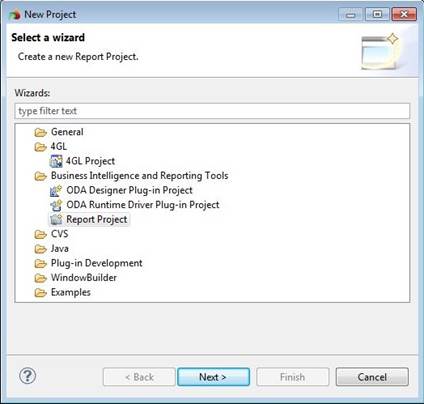
-
Specify a new project name.
-
Right click on the new project and select New ->Report in the context menu. Specify a new file name. To create a new report from scratch, press Finish.
If you want to use a template report, choose Next. You will see the list of templates to use for your future report. Standard report templates include:
· Blank Report
· My First Report
· Simple Listing
· Grouped Listing
· Dual Column Listing
· Dual Column Chart and Listing
· Side by Side Chart and Listing
· Chart and Listing
· Cross Tab
Clicking on each report template, you will see the preview of this template and its description.
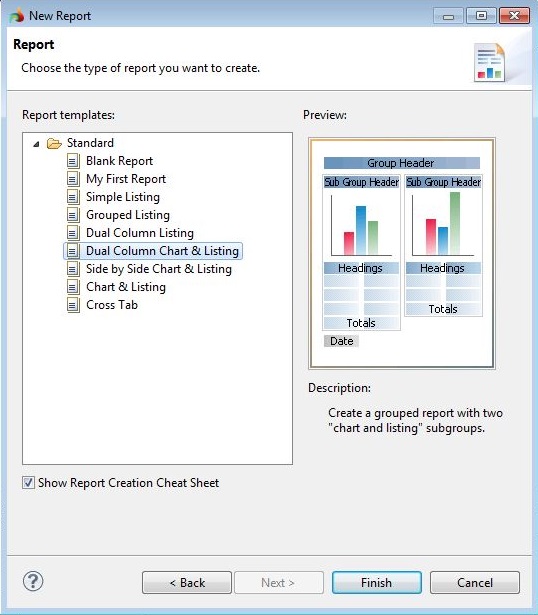
Once you pick out an appropriate report templates, press Finish.
Now you can see the BIRT Report Perspective:
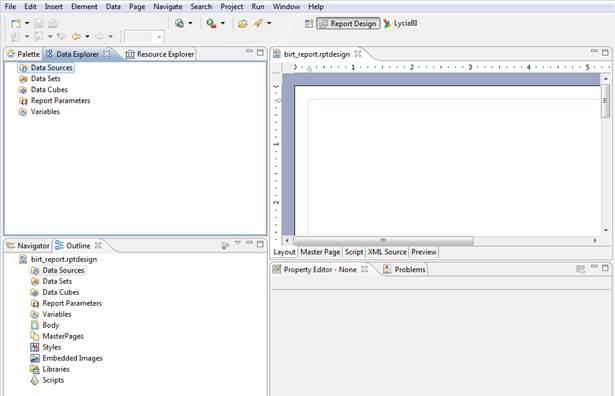
First of all we need to select the data source and data sets for the report.
 You must create data sources and data sets for each BIRT report file individually. However, they can be exported and then imported to facilitate the process.
