, and disabled ones look as empty circles
  .
.
Only enabled breakpoints suspend the program execution in the debug mode.
Enabled breakpoints look as full blue circles , and disabled ones look as empty circles .
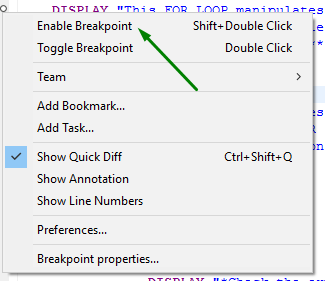
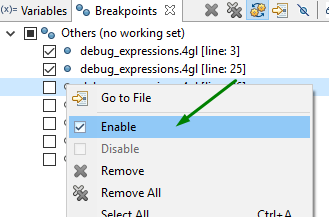
There are three ways to enable/disable a breakpoint:
→ by choosing Enable / Disable Breakpoint in the context menu in the code editor:
|
|
|
→ by choosing Enable / Disable in the context menu of the Breakpoint view:
→ by checking or unchecking the necessary checkbox in the the Breakpoint view:

Related articles: