Updating Lycia Components
Note: This page refers to updating the base Lycia components. To learn how to update Lycia VS Code Extension, refer here: Updating LVSCE.
Attention: After updating Lycia, restart Lycia Web Server.
Updating Lycia Components on Linux
Note: To install Lycia on Linux, you must run QPM as a superuser. We also recommended that 4GL developers create a user and a group called querix or informix that will act as the owner for the Querix installation.
Step 0. Download Lycia package manager from querix.com.
 Step 1. Execute these commands:
sudo service qx-web stop
sudo ./qpm update
Attention: To install Lycia on Linux, you must have git and git LFS installed on your machine.
Otherwise, any installation attempt will fail.
Review Lycia system requirements
After the successful update, you will receive the following message:
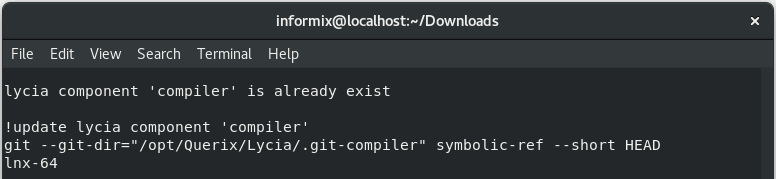
Image 6: Lycia update console messages
Step 2. Test your updated component(s).
Updating Lycia Components on Windows
Step 0. Download Lycia package manager from querix.com.
Step 1. Update your Lycia with QPM.
With QPM GUI
- Review Lycia system requirements
- Choose what Lycia components you want to update.
- Run Querix Package Manager.
- Check the boxes of the necessary Lycia components and click Proceed.
Attention: Any non-selected component will be deleted, so make sure to select all the components you need.
With QPM command line tool
Execute the command:
C:\Users\user\Downloads>qpm update
In this case, your current Lycia setup will be updated.
Step 2. Test your updated component(s).