Installing Lycia With QPM GUI
About QPM GUI
QPM GUI includes one main and one Preferences window where you can work with all Lycia components:
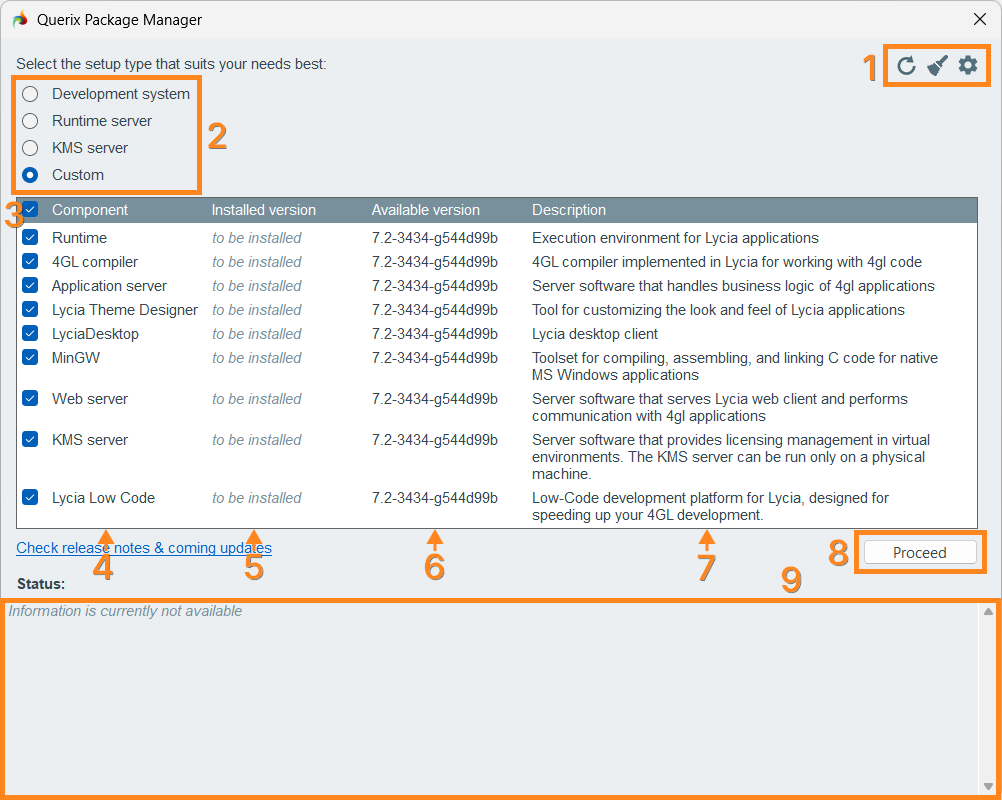
(1) In the upper-right corner of the QPM main window, you have three management buttons:
-
 the Reset button resets Lycia components to their initial state
 -
 the Clean button cleans up redundant and orphaned files
 -
 the Preferences button opens the Preferences window
In the Preferences window, you can specify Lycia installation path and the repository credentials:
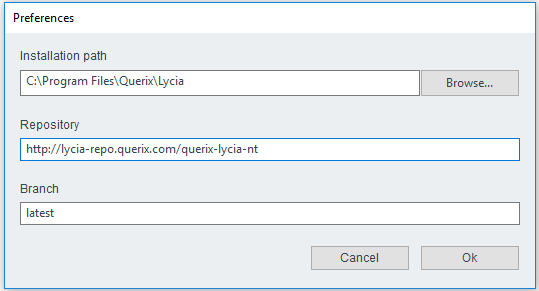
By default,
-
Lycia components available for installation are taken from this repository
http://lycia-repo.querix.com/querix-lycia-nt
-
Lycia is installed to
C:\Program Files\Querix\Lycia
You can change the installation path by direct typing or browsing:

The repository and its branch are changed by direct typing.
(2) In the top left part of the QPM main window, you can choose one of the available Lycia setup presets – Development system, Runtime server, KMS server, and Custom (are described here).
(3) In the leftmost column, check / uncheck the components you want to install, update, or delete.
You can check the components one-by-one or select all of them by checking the checkbox in the table header.
To uninstall Lycia, you must deselect (uncheck) all the installed components.
(4) In the Component column, all the available Lycia components are listed.
(5) In the Installed version column, there will be the following statuses:
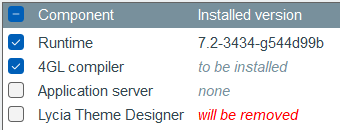
- the current version of the selected component if it is already installed;
- none if the component is not installed;
- to be installed if the component is selected for installation (it is checked);
- will be removed if the component will be deleted (it is unchecked):
(6) In the Available version column, you see the latest version to which the selected component can possibly be updated.
(7) In the Description column, you see some basic information about the component based on which you can choose whether to install / update / delete it or not.
(8) With the Proceed button, you will launch the installation / update / uninstallation procedure.
(9) In the Status field, you see the current status and the progress of your installation / update as well as messages and warnings.
Attention: To specify Lycia components for installation / update, tick the boxes of all the components you want to keep.
If an installed component remains unchecked when you click the Proceed button, QPM will delete that component.
Install Lycia Using QPM GUI
 Step 0. Download the Querix Package Manager for Windows (QPM GUI) from our website's Downloads page. You will need to log in / sign up to access that page.
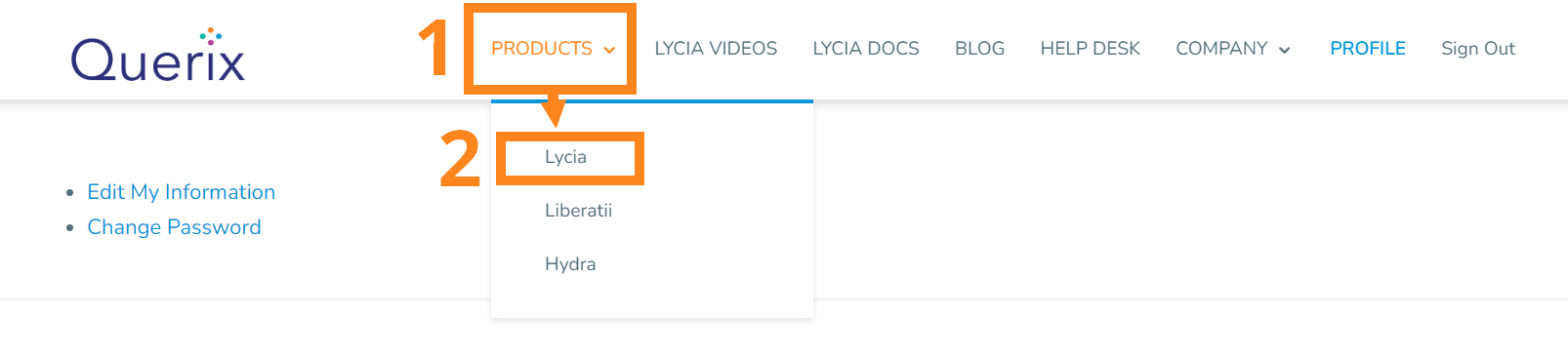
Image 1: Finding Lycia

Image 2: Finding Lycia downloads
Choose the package for your system.
Step 1. Install Java of a version 21 or newer:visit the official Java downloads page, download your Java package, and proceed with the installation.
Step 2. Install the necessary Lycia components with QPM:
- Review Lycia system requirements;
- Learn about the available Lycia presets and components and select which of them you want to install;
- Run Querix Package Manager with administrative rights;
- Check the necessary Lycia components and click Proceed. QPM will start the installation of Lycia components.
Step 3. Activate your Lycia license.