reverse
reverse reverses the display colors for the specified form field (characters are displayed in reverse video).
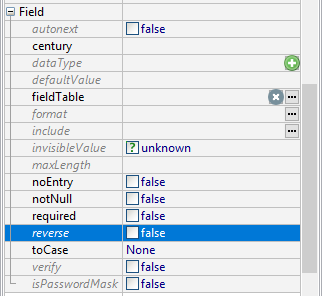
Form XML code:
Possible values:
true, false
Default value:
false
Associated containers, widgets, and theme elements:
Associated 4gl syntax:
Influence and behavior:
The property originates from the REVERSE attribute of the classic forms (.per).
With DISPLAY and INPUT, if reverse is set to true, then the field and its values are displayed in reversed colors:
XML code (fm2):
4gl code sample:
MAIN
DEFINE f1, f2 STRING
OPEN WINDOW w WITH FORM "reverse" ATTRIBUTE(BORDER)
MENU
BEFORE MENU
CALL fgl_setactionlabel("display", "display", "qx://application/search.svg")
CALL fgl_setactionlabel("input", "input", "qx://application/create.svg")
CALL fgl_setactionlabel("exit", "exit", "qx://application/clear.svg")
ON ACTION "display"
DISPLAY "text" TO f1
DISPLAY "text" TO f2
ON ACTION "input"
INPUT BY NAME f1, f2;
ON ACTION "exit"
EXIT MENU
END MENU
END MAIN
runtime behavior:

reverse is supported by LyciaDesktop and LyciaWeb but has a very limited usage in modern applications.
If necessary, you can customize the color scheme of your fields and displays via master and user themes and css style sheets.
 Related articles