identifier
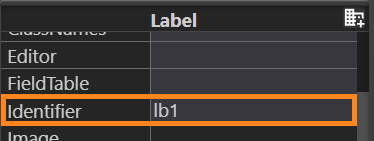
identifier specifies the identifier which will be used to refer to the form element in 4gl code or theme file.
depend on the user's needs
Default value:
depends on a widget
|
Widget |
Identifier |
Description |
|
Root Container |
rootContainer |
N is the number of the same type widget in the order of its addition to the form |
|
Table |
tblN |
|
|
TreeTable |
trtblN |
|
|
BlobViewer |
bvN |
|
|
Browser |
broN |
|
|
Button |
btN |
|
|
Canvas |
canN |
|
|
Label |
lbN |
|
|
MenuBar |
mbarN |
|
|
MenuGroup |
mgrpN |
|
|
MenuCommand |
mcmdN |
|
|
MenuSeparator |
msepN |
|
|
PlaceHolder |
pholdN |
|
|
ProgressBar |
pbarN |
|
|
Toolbar |
tbarN |
|
|
ToolbarButton |
tbtnN |
Associated containers, widgets and theme elements:
Associated 4gl syntax:
Associated ui methods:
forName ↓
SetIdentifier ↓
GetIdentifier ↓
identifier is used to provide a unique name for any form element.
To change the default identifier to a custom one,
-
change the value of the identifier property in Form Builder's Properties view;
-
apply SetIdentifier method to the corresponding ui element:
LET bt = ui.Button.forname("bt")
CALL bt.SetIdentifier("newID")
You can use GetIdentifier method to find out widgets identifiers at runtime:
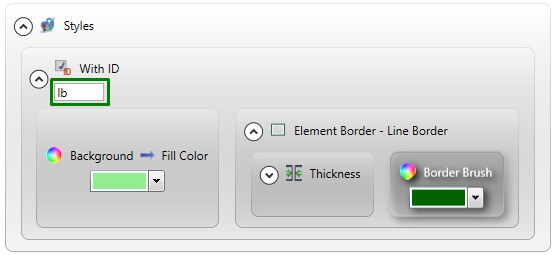
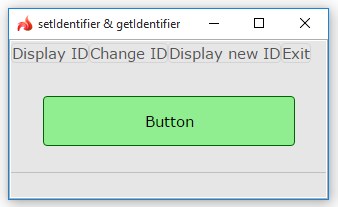
Widget identifiers are used
-
to apply theme properties:
property set in the form
runtime appearance
-
to create ui elements by binding the widget with the ID passed as an argument to a variable of a corresponding data type:
LET bt = ui.Button.forname("bt")
-
to refer to the widget in 4gl code:
 Related articles